
This post was originally published on this site.
When you’re looking to create impressive video montages without spending a dime, you’ll find several free software options at your disposal. Each tool offers unique features customized for different skill levels. For instance, Adobe Premiere Rush provides quick editing capabilities, whereas DaVinci Resolve caters to advanced users with robust tools. As you explore these options, you’ll discover how each can improve your creative projects effectively. But which one will best suit your needs?
Key Takeaways
- Look for software with drag-and-drop functionality to simplify arranging elements in your montage effortlessly.
- Ensure the platform supports 4K video to produce high-quality, professional-looking projects.
- Choose options with built-in effects and transitions to enhance creativity without needing additional plugins.
- Select tools offering free plans with no watermarks for 4K downloads, maximizing project visibility.
- Explore software with extensive online tutorials to help beginners quickly learn and apply editing techniques.
Adobe Premiere Rush: Quick and Effective Editing
If you’re looking for a video editing solution that balances speed with effectiveness, Adobe Premiere Rush might be just what you need.
It’s among the best free software for video editing for YouTube, combining a user-friendly interface with robust features. You can easily drag and drop your clips, and the automatic assembly feature speeds up the editing process considerably.
The free version supports exports at 1080p and 60fps, ensuring your videos look professional. Although it’s limited to single-track editing and lacks advanced tools like chroma keying, it still offers a solid foundation for creating polished content quickly.
For beginners or anyone searching for good free software, Adobe Premiere Rush is an excellent choice for efficient video production.
Clipchamp: Versatile Web-Based Editor
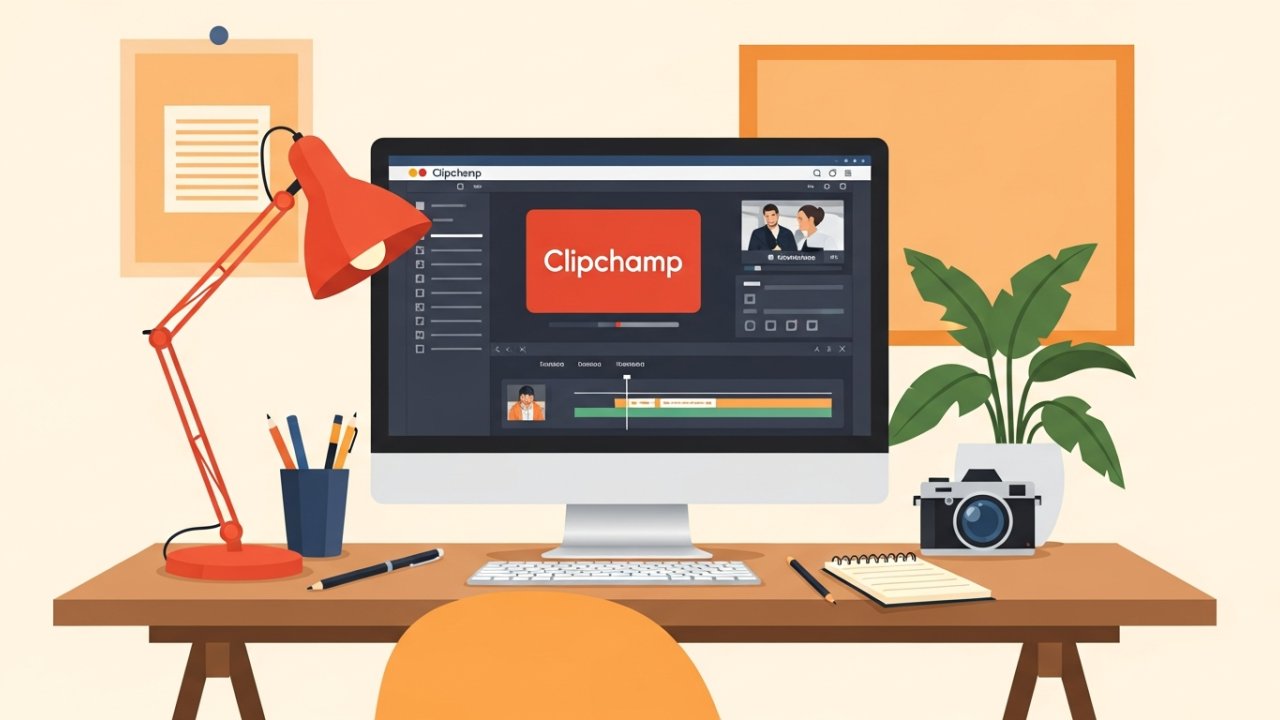
Clipchamp is a user-friendly web-based video editor that you can access from any device using Chrome or Edge.
With its multi-track editing capabilities, you can easily layer videos, audio, and images to create intricate montages.
Furthermore, the platform offers a variety of free templates and assets, allowing you to improve your projects without starting from scratch.
User-Friendly Interface
When you’re looking for a video editing tool that’s easy to navigate, Clipchamp stands out with its user-friendly interface.
This versatile web-based editor is among the top free software for creating engaging montages. Here’s what makes it a great choice:
- Seamless Access: Works flawlessly on Chrome and Edge, so you can edit anywhere.
- Drag-and-Drop Functionality: Import and arrange clips effortlessly, saving you time.
- Free Templates and Assets: Begin your projects with a variety of ready-made options.
- Smooth Performance: It runs well with compatible internet speeds and devices.
These features make Clipchamp one of the good apps to edit, ensuring a straightforward editing experience for users at any skill level.
[embedded content]
Multi-Track Editing Capabilities
For those looking to create more intricate video montages, multi-track editing capabilities are a significant advantage offered by Clipchamp. This affordable editing software allows you to layer multiple video and audio tracks, enabling complex montages that improve storytelling.
Its user-friendly interface simplifies the arrangement, trimming, and manipulation of clips across various tracks simultaneously, making it accessible for beginners and experienced editors alike. Nevertheless, keep in mind that Clipchamp’s performance can depend on your internet speed, potentially influencing the responsiveness of real-time multi-track editing.
With the free version, you’ll still be able to export your projects in 1080p resolution, ensuring high-quality outputs without watermarks, which is a valuable feature for any creative project.
Free Templates and Assets
During the creation of a video montage, having access to free templates and assets can greatly streamline the editing process.
Clipchamp offers a wealth of options that cater to your creative needs, making it one of the best video editing software for music videos.
Here are some key features:
[embedded content]
- Free Templates: Choose from various pre-designed templates to kickstart your project.
- Stock Footage: Access a library of stock videos to improve your montage without any extra cost.
- Transitions and Overlays: Utilize different transitions and overlays to create seamless effects between clips.
- High-Quality Exports: Export your final video in 1080p resolution, ensuring your content looks professional on any platform.
With these free templates and assets, your editing experience will be both efficient and enjoyable.
Imovie: User-Friendly Experience for Mac Users
iMovie offers an intuitive and user-friendly experience for Mac users, making it an excellent choice for those looking to create video montages without a steep learning curve.
As one of the best free movie editing software options, iMovie features a straightforward interface with drag-and-drop functionality, which is perfect for beginners. You can easily access footage stored in iCloud, streamlining your editing process.
The software in addition includes advanced editing tools like chroma keying and video stabilization, allowing you to improve your projects effectively. With the ability to export videos in up to 4K resolution, you’ll achieve high-quality results.
Plus, iMovie supports direct sharing to social media platforms, making it convenient to publish your completed montages.
Kdenlive: Comprehensive Open-Source Solution
Kdenlive stands out as a thorough open-source video editing solution that caters to both novices and seasoned editors alike.
It’s a top contender among the best free video montage software options owing to its robust features.
Here are four key aspects that make Kdenlive exceptional:
- Multi-track Editing: Work with multiple video and audio tracks simultaneously for complex projects.
- Built-in Effects: Access a variety of effects and transitions, eliminating the need for third-party plugins.
- GPU Rendering: Enjoy improved performance during editing and rendering, even though this feature is still experimental.
- User-Friendly Interface: Benefit from extensive online tutorials and community support, making it approachable for beginners.
With these features, Kdenlive competes well with pro video editing programs, offering versatility and creativity.
DaVinci Resolve is a standout choice among video editing software, particularly for those seeking advanced tools and capabilities. Known as one of the best video grading software options, it offers exceptional color correction and grading tools that help you achieve cinematic quality.
The software supports multi-user collaboration, enabling teams to work on projects together in real-time. With its free version, you get robust features without watermarks or project duration limits, making it accessible to both beginners and experienced users.
Furthermore, DaVinci Resolve includes over 100 GPU-accelerated effects and extensive audio post-production capabilities. Its HDR support allows you to work with high-resolution formats, meeting the demands of modern filmmaking, solidifying its reputation as top rated movie editing software.
CapCut: Feature-Rich Interface for All Skill Levels

In relation to user-friendly video editing, CapCut stands out as a versatile, free multi-platform app that caters to creators at all skill levels. This app is especially popular among those searching for the top iPad video editing apps or good music video editing software.
Here are some key features that make CapCut a great choice:
- Intuitive interface for easy navigation.
- One-tap aspect ratio adjustments for social media optimization.
- Regularly updated templates and effects to stay trendy.
- Robust editing tools like auto-captioning and text-to-speech.
Completely free with no watermarks, CapCut enables influencers and content creators to produce engaging short-form videos effortlessly, whether they’re on mobile or desktop.
Adobe Express: Simple Drag-and-Drop Editing
For those seeking an easy-to-use video editing software, Adobe Express offers a simple drag-and-drop interface that makes video montage creation straightforward for users of all skill levels. You can easily import and arrange clips, images, and audio tracks, streamlining your editing experience. Adobe Express also provides various pre-designed templates and assets, improving your montages without extensive design skills. With support for 4K video downloads without watermarks, it’s one of the best video software for music videos. Furthermore, built-in tools for text overlay and motion effects allow you to create engaging montages quickly.
| Feature | Benefit | Note |
|---|---|---|
| Drag-and-Drop | Easy arrangement of elements | User-friendly interface |
| 4K Video Support | High-quality outputs | No watermarks in free plan |
| Pre-designed Assets | Improve creativity | No design skills needed |
| Text Overlay | Add context and engagement | Customizable options |
| Motion Effects | Dynamic presentations | Quick implementation |
Frequently Asked Questions
What Is the Best Free Editing Software for Montages?
When you’re looking for the best free editing software for montages, consider options like DaVinci Resolve for its professional features, including color grading and effects.
HitFilm Express is great for dynamic montages, offering an extensive effects library.
OpenShot allows unlimited layers for complex edits, whereas Shotcut supports various formats and is user-friendly.
Finally, Blender combines 3D capabilities with video editing, making it perfect for creative projects requiring unique visual elements.
Which Is the Best Video Editor for Free?
When you’re looking for the best free video editor, consider DaVinci Resolve for its professional features, including advanced color correction and no export watermark.
HitFilm Express offers visual effects alongside editing capabilities, making it versatile.
Lightworks provides robust tools but limits exports to 720p.
For beginners, OpenShot is user-friendly and supports unlimited layers.
Finally, Shotcut allows for various video formats and customization, catering to a wide range of editing preferences without any cost.
What Do Youtubers Use to Edit for Free?
YouTubers often turn to YouTube for free video editing tools to create their content.
[embedded content]
Popular choices include DaVinci Resolve, known for its professional-grade features without watermarks, and HitFilm Express, which offers over 400 visual effects and helpful tutorials.
iMovie appeals to Apple users for its straightforward interface, whereas Kdenlive provides advanced options for open-source enthusiasts.
Clipchamp is favored for its web-based platform, allowing easy editing and direct exporting to YouTube from any device.
What Is the Free Video Compilation App?
A free video compilation app allows you to merge various video clips, images, and audio into one cohesive montage without spending any money.
These apps typically feature user-friendly interfaces with drag-and-drop functionality, making them accessible for beginners. Many offer templates, transitions, and effects to improve your project.
Nonetheless, be aware that some may impose limitations like watermarks or export quality restrictions, which can affect the final output of your video.
Conclusion

In conclusion, choosing the right free video montage software can greatly improve your creative projects. Each of the options discussed—Adobe Premiere Rush, Clipchamp, iMovie, Kdenlive, DaVinci Resolve, CapCut, and Adobe Express—offers unique features customized to different skill levels and editing needs. By evaluating your specific requirements and preferences, you can select the software that best fits your workflow, allowing you to produce high-quality video montages without incurring costs.
Image via Google Gemini